More Info on "Camera"
The "Camera" screen has a large "Viewfinder" area, a small "Still Image" area at the upper right, and a "Thumbnail" area below. On the right side of the screen, the control area contains the "Flash" and "Shutter" buttons, and below them the "Retake", "Clear All", and "Done" buttons. There is also a "Back to Home" button in the upper right.
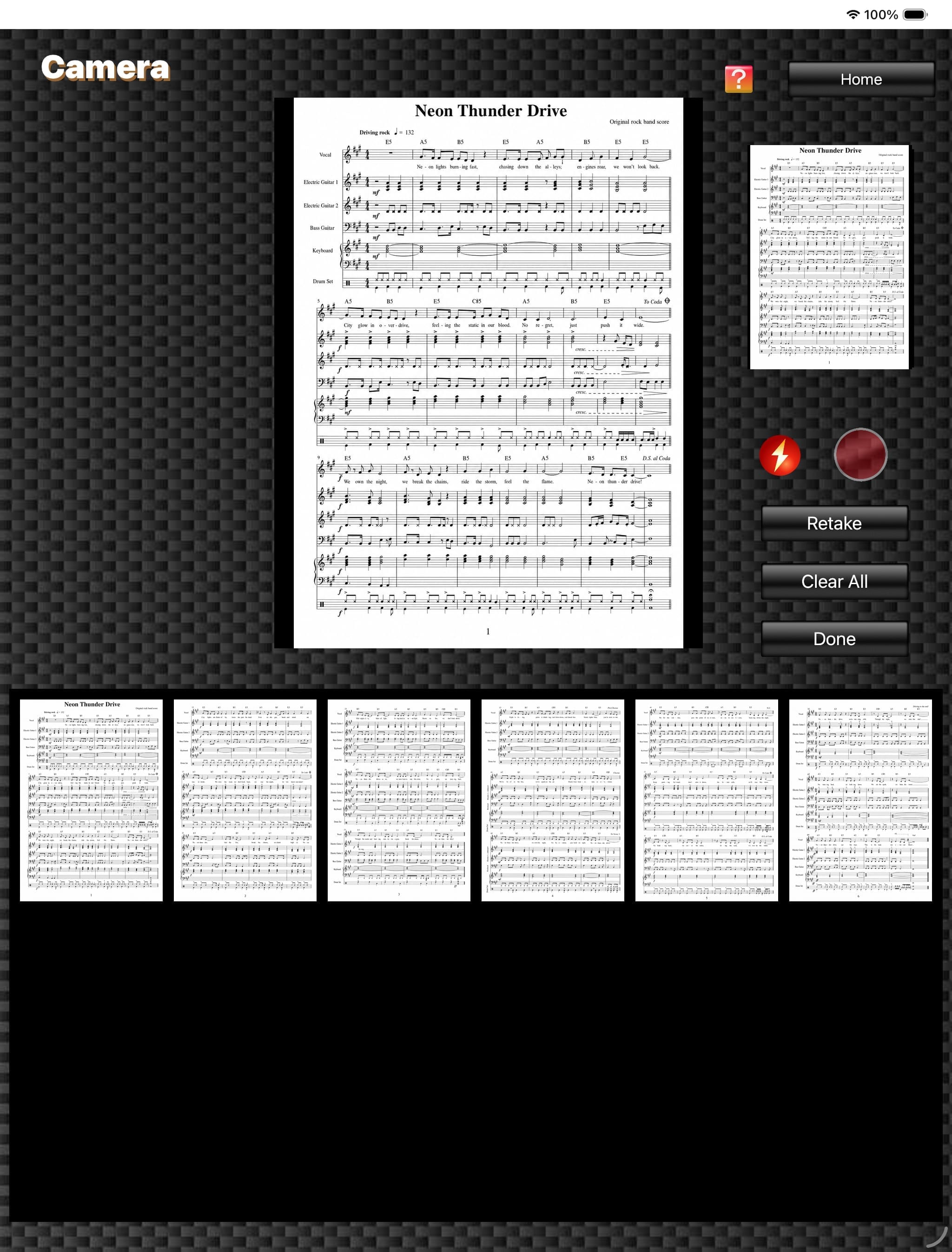
(The score image is an original image generated by AI.)
1.
The "Viewfinder" area shows the live camera image in real time.
2.
The "Still Image" area shows the still image captured when the "Shutter" button was tapped.
3.
The "Thumbnail" area lists the captured images. You can continue shooting while checking the series of score images you have taken.
4.
Tapping the "Retake" button deletes the most recently captured image, and tapping the "Clear All" button deletes all captured images.
Tapping the "Done" button switches to the "Order Editor" screen, where the captured series of images is displayed.
Tapping the "Done" button switches to the "Order Editor" screen, where the captured series of images is displayed.
5.
On devices equipped with a flashlight, tapping the "Flash" button toggles the flashlight on and off.
6.
Tapping the "Back to Home" button returns to the "Home" screen.
