Order Editor
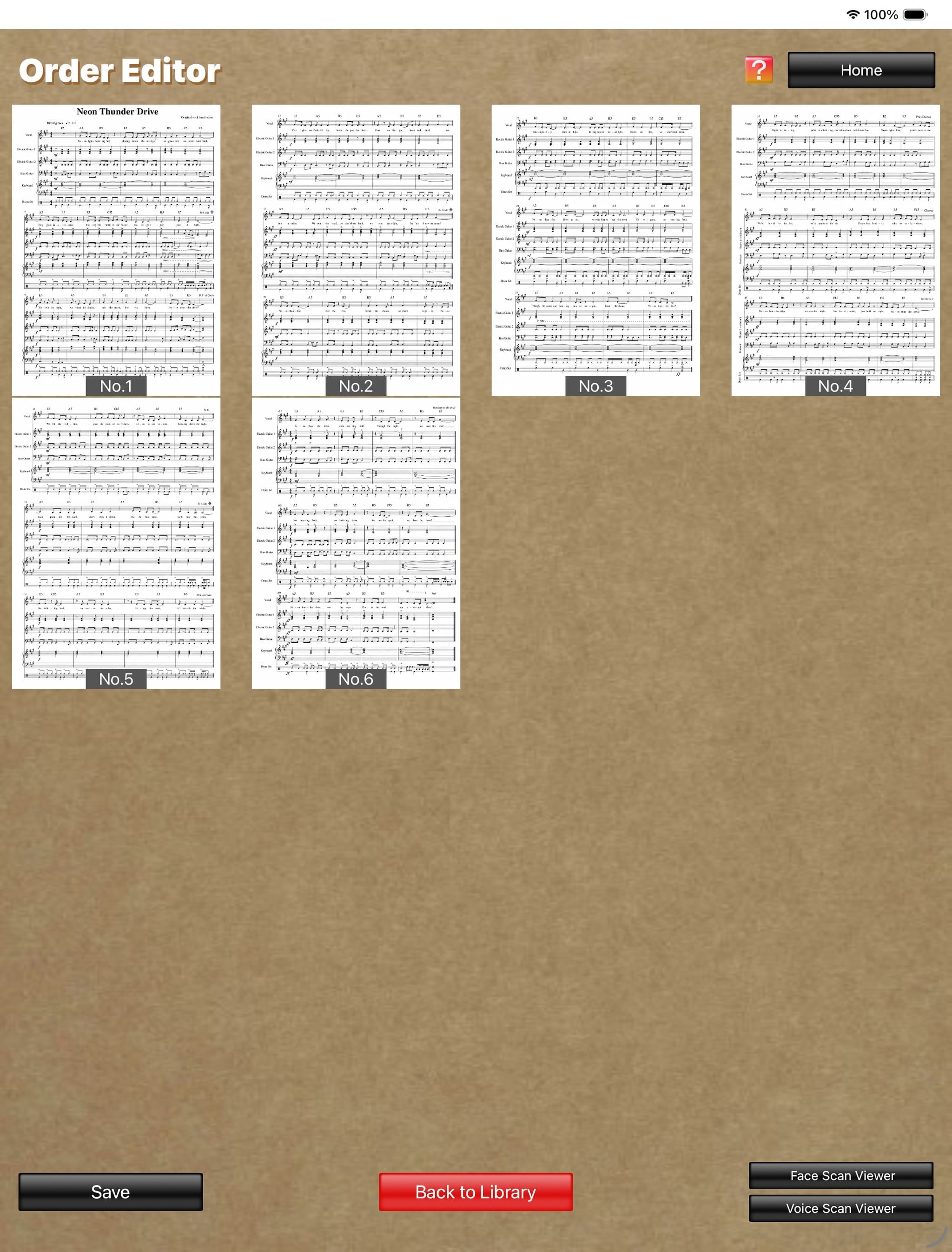
The screen switches to the "Order Editor" screen and displays a list of images in the following cases:
- When you tap the "Done" button on the "Camera" screen
- When you select a score on the "Library" screen and tap the "Order Editor" button
- When you select an image on the "Photo Library" screen
On this "Order Editor" screen, you can copy, cut, and paste images by pressing and holding an image.
- You can edit the display order by dragging images with two fingers.
- You can open the "Enlarged View" screen by tapping an image, and enlarge that image. The "Draw with Pen" button is also displayed on this screen.
On this "Enlarged View" screen, you can zoom the image in and out with a pinch gesture.
- Tapping the "Draw with Pen" button displays Apple's standard Markup tools. You can then write letters, symbols, and other markings by hand on the image using a stylus, Apple Pencil, or a similar device.
- When you tap the "Done" button on the "Camera" screen
- When you select a score on the "Library" screen and tap the "Order Editor" button
- When you select an image on the "Photo Library" screen
On this "Order Editor" screen, you can copy, cut, and paste images by pressing and holding an image.
- You can edit the display order by dragging images with two fingers.
- You can open the "Enlarged View" screen by tapping an image, and enlarge that image. The "Draw with Pen" button is also displayed on this screen.
On this "Enlarged View" screen, you can zoom the image in and out with a pinch gesture.
- Tapping the "Draw with Pen" button displays Apple's standard Markup tools. You can then write letters, symbols, and other markings by hand on the image using a stylus, Apple Pencil, or a similar device.
Order Editor
(The score image is an original image generated by AI.)
(The score image is an original image generated by AI.)