Preferences
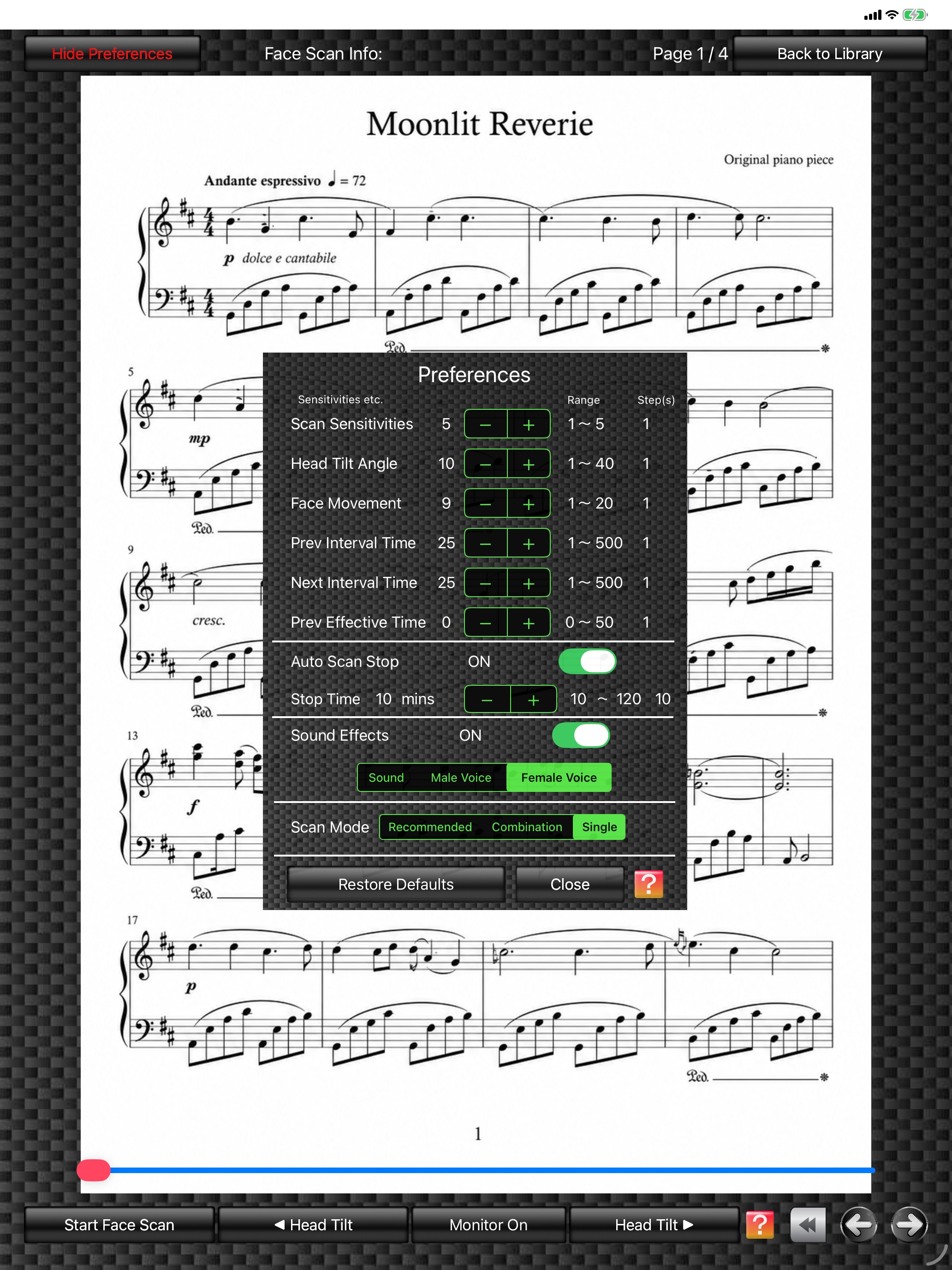
Tapping the "Show Preferences" button at the upper left of the Score Viewer displays the "Preferences" window in the center of the screen.
In this window, you can set values such as "Face Scan Sensitivity", "Head Tilt Angle", "Face Movement", "Prev Interval Time", "Next Interval Time", and "Prev Effective Time".
The higher the "Face Scan Sensitivity" value, the higher the recognition sensitivity becomes. However, higher sensitivity can also increase accidental operation (unintended page forward/back), so this value needs to be adjusted appropriately. Please adjust it by repeating your own tests. Settings are saved and used again the next time the app starts.
Using FPT+ requires some practice. Depending on the instrument you use, the stable "Recommended Mode" is recommended. (See More Info on Preferences for details)
In this window, you can set values such as "Face Scan Sensitivity", "Head Tilt Angle", "Face Movement", "Prev Interval Time", "Next Interval Time", and "Prev Effective Time".
The higher the "Face Scan Sensitivity" value, the higher the recognition sensitivity becomes. However, higher sensitivity can also increase accidental operation (unintended page forward/back), so this value needs to be adjusted appropriately. Please adjust it by repeating your own tests. Settings are saved and used again the next time the app starts.
Using FPT+ requires some practice. Depending on the instrument you use, the stable "Recommended Mode" is recommended. (See More Info on Preferences for details)
Score Viewer
(The score image is an original image generated by AI.)
(The score image is an original image generated by AI.)