Preferences
Tapping the "Show Preferences" button at the upper left of the Score Viewer displays the "Preferences" window in the center of the screen. In this window, you can set the "Silence/Voice Threshold" and other settings.
The lower this threshold value is, the higher the recognition sensitivity becomes. However, higher sensitivity may also pick up background sounds (including instrument sounds), reducing voice command recognition accuracy, so it must be adjusted to the optimum value.
Please adjust it by repeating your own tests. Settings are saved and used again the next time the app starts. Using FPT+ requires some practice.
The lower this threshold value is, the higher the recognition sensitivity becomes. However, higher sensitivity may also pick up background sounds (including instrument sounds), reducing voice command recognition accuracy, so it must be adjusted to the optimum value.
Please adjust it by repeating your own tests. Settings are saved and used again the next time the app starts. Using FPT+ requires some practice.
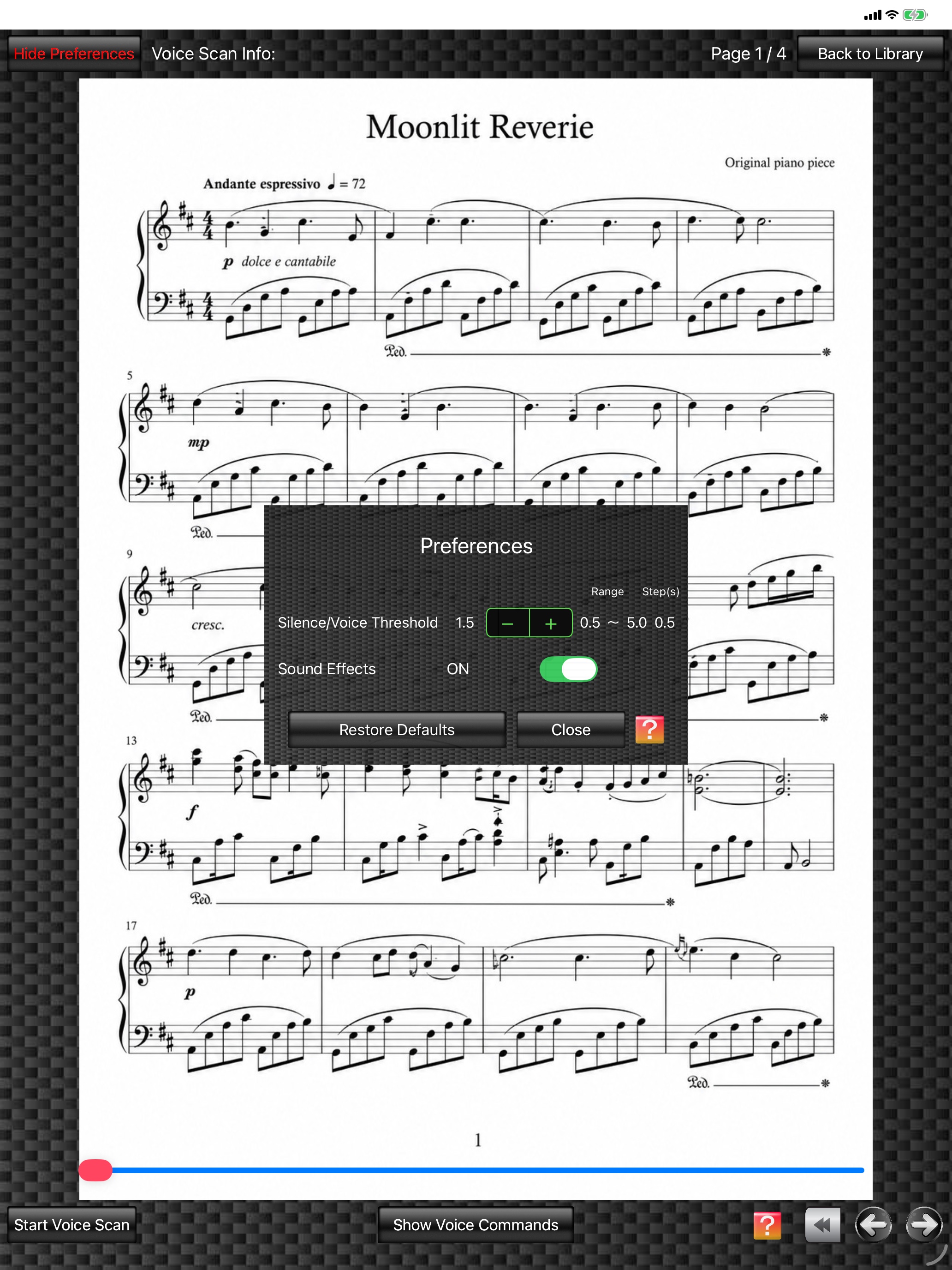
Score Viewer
(The score image is an original image generated by AI.)
(The score image is an original image generated by AI.)